How to use Google Translate
- to translate texts in the exhibitions.
In Økolariet a lot of text is in Danish, so to get the full experience and learn as much as possible, we recommend using Google Translate on your phone to translate the texts.
This is how you do it:
-
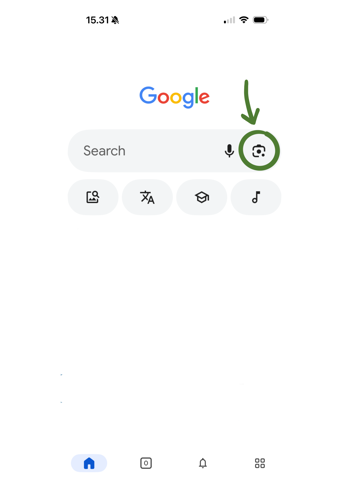
Open Google on your phone
-
Tap the camera icon in the search bar (to the right in the search bar)
-
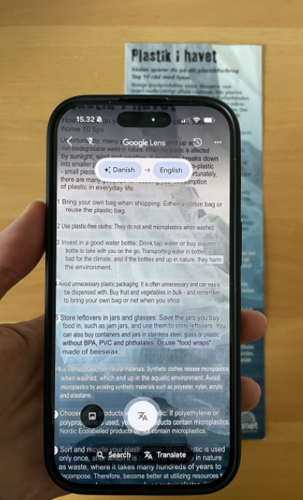
Point your camera at the text you want to translate
-
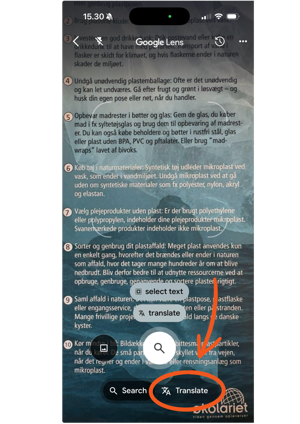
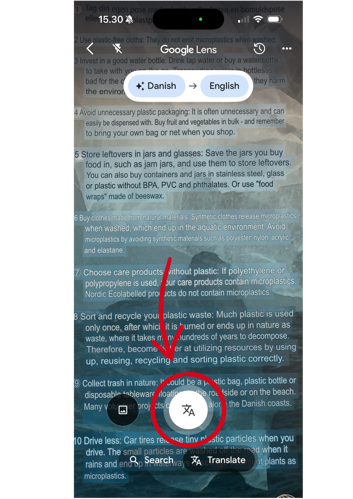
Tap “Translate” at the bottom right corner of the screen
-
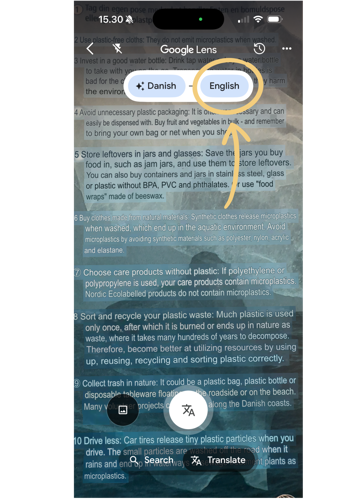
Choose the language you want the text translated into at the top
-
The translation will appear directly on your screen. You can hover your phone over the text or take a picture of the translation with the white button at the bottom
Enjoy!
